✦ New · Statement import, in beta

The budget tracker that isn't a chore.

Log what you spend in a tap, and see where your money goes without crunching the numbers. Rather not type it in? Import a bank statement and Arco sorts every transaction for you.

Free to use macOS & Windows available now Google Play coming soon
9:41
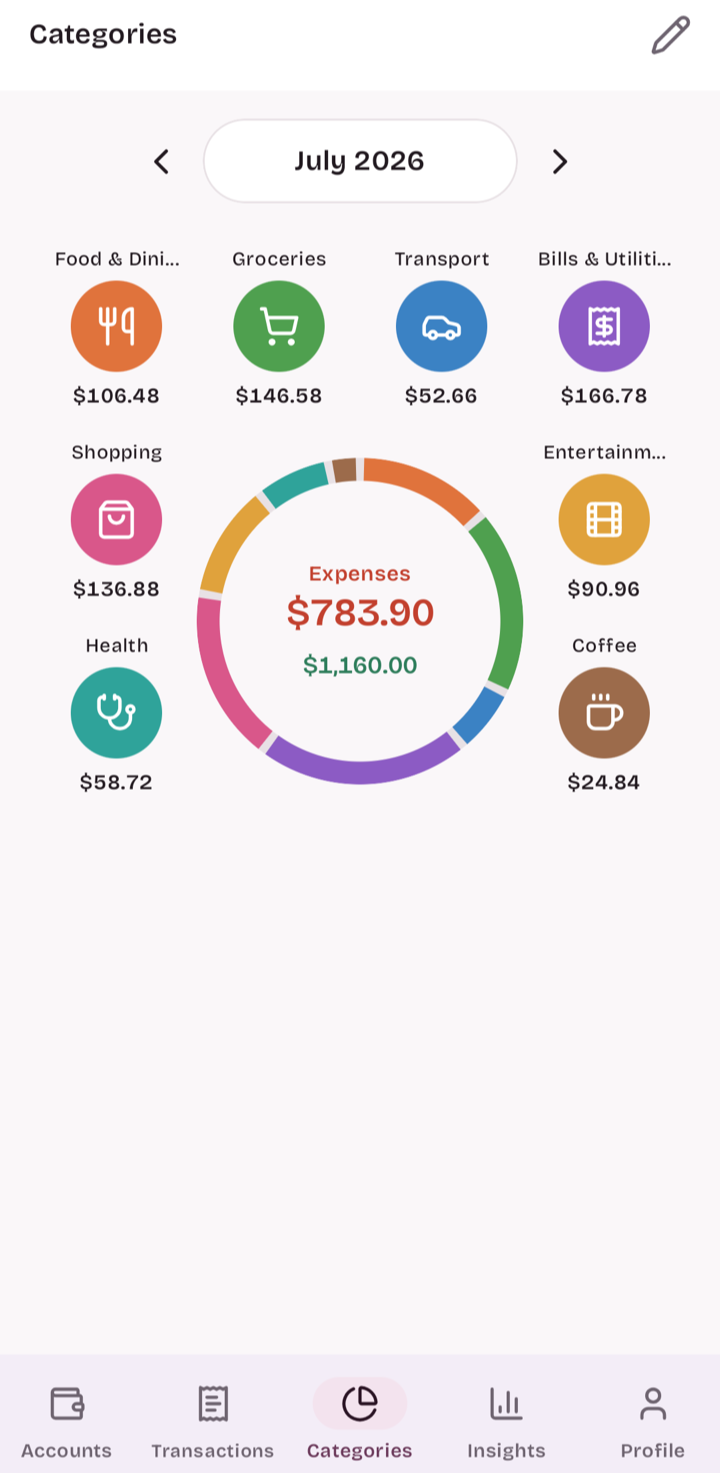
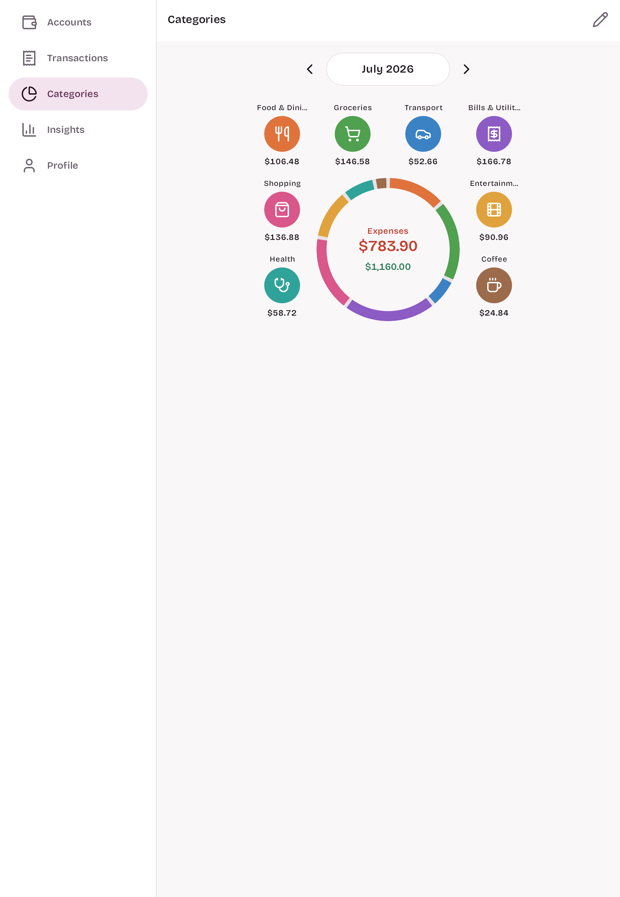
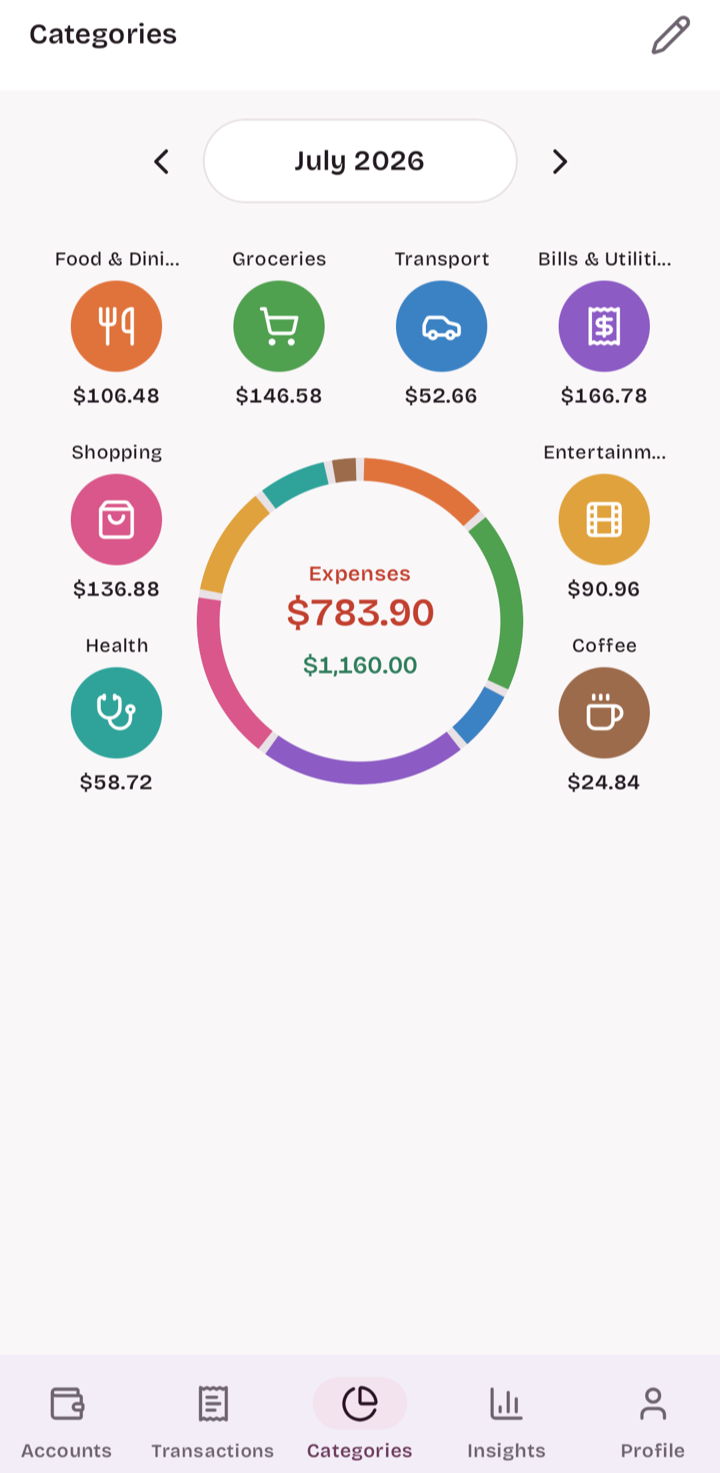
Arco's home screen showing spending by category as a ring of colorful category bubbles for the month

See exactly where your money goes.

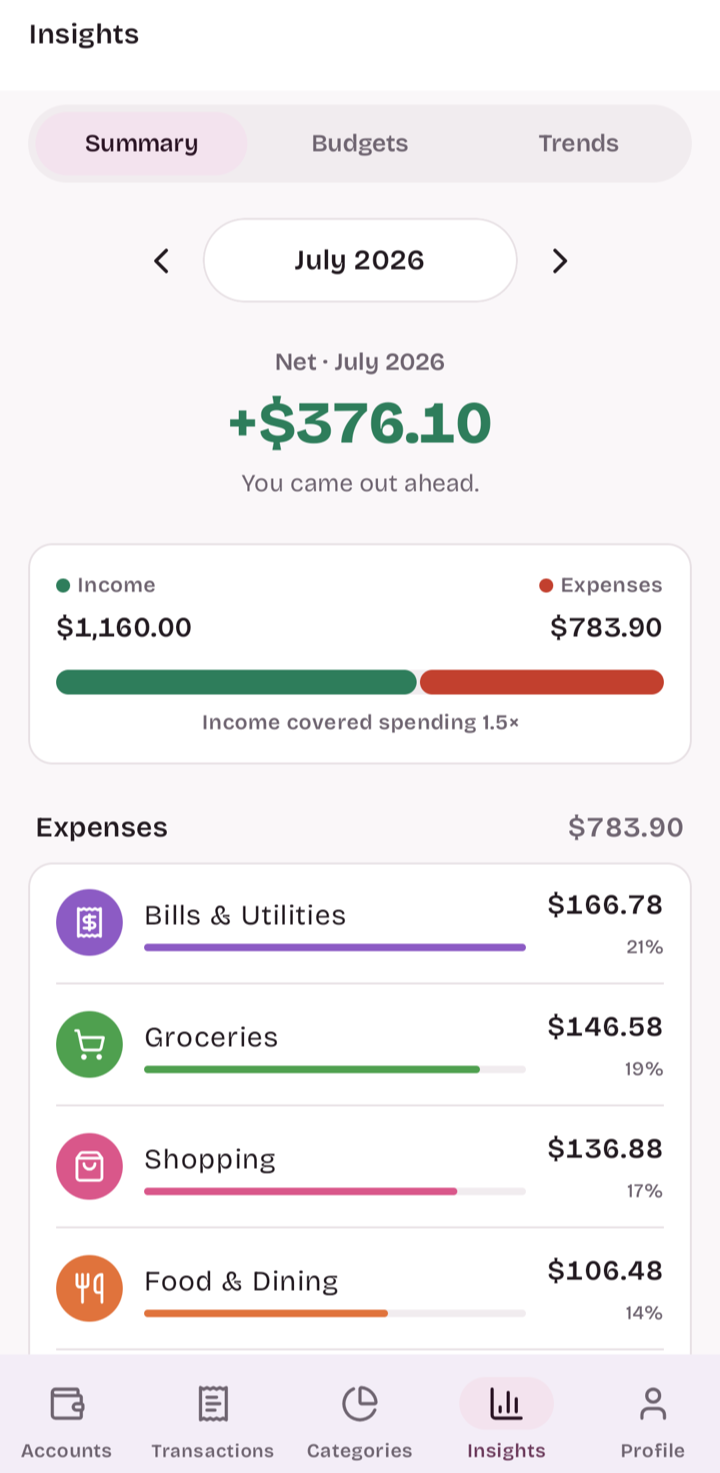
Arco sums up your whole month in one place: what came in, what went out, and where it all went, category by category. It even compares this month with the last, so a creeping bill is easy to catch.

It's all in clean charts and plain numbers, not a spreadsheet you have to decode.

9:41
Arco Insights — net for the month, income vs. expenses, and a category breakdown with percentages

Stop typing in transactions.BETA

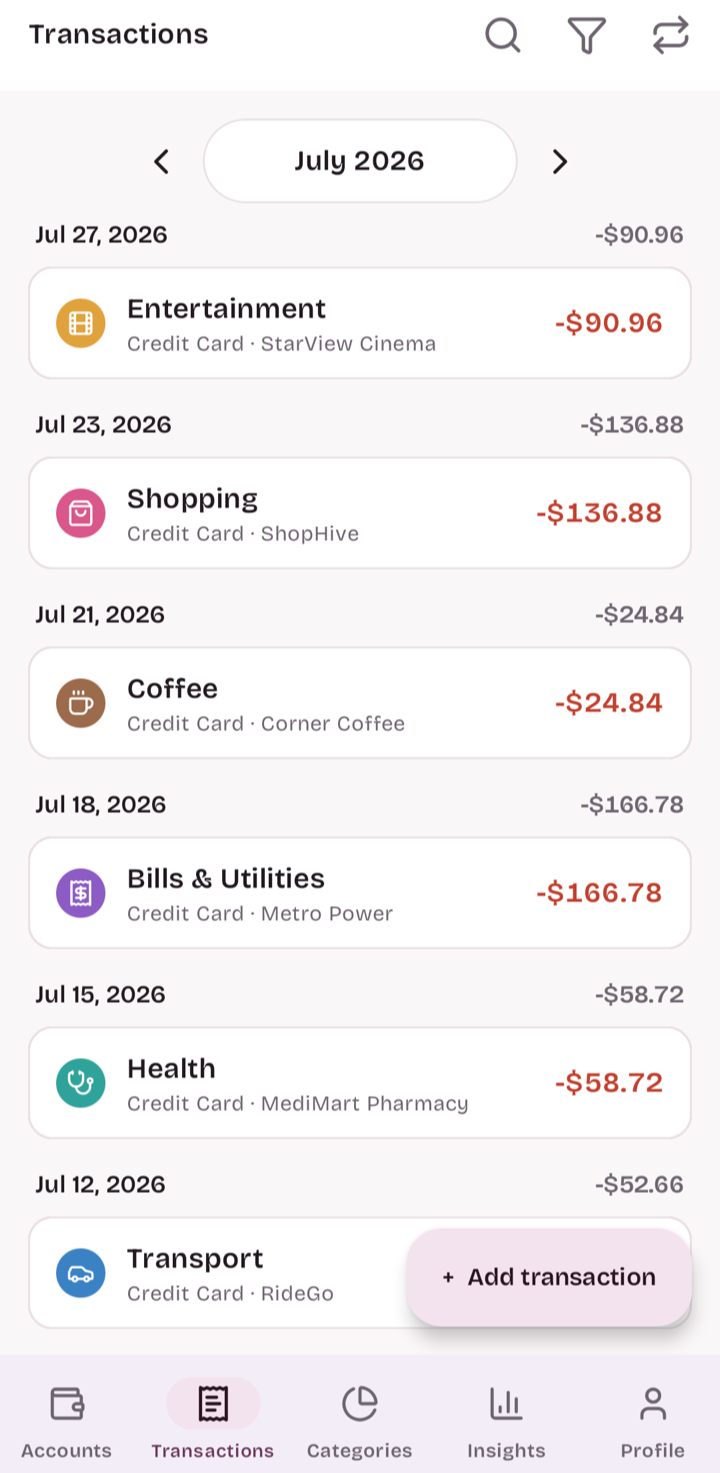
Upload a PDF or snap a photo of your bank or card statement. Arco pulls out every transaction and sorts it into a category for you. You skim the list and hit save.

No bank login, no account linking. You give Arco a statement, not the keys to your bank. You review every line, and you decide what gets saved. How we handle your data →

statement.pdf
07/27  STARVIEW CINEMA-90.96
07/23  SHOPHIVE *ORDER-136.88
07/21  CORNER COFFEE #24-24.84
07/18  METRO POWER-166.78
07/15  MEDIMART PHARMACY-58.72
9:41
The imported transactions in Arco, each line sorted into a category, with the merchant kept as the note (StarView Cinema, ShopHive, Corner Coffee, Metro Power, MediMart Pharmacy)

Private by default.

Some finance apps want your bank login and your attention. Arco asks for neither. It works fully offline, and it never asks you to connect a bank.

Works without an account

Open the app and start tracking. No sign-up, no email, nothing standing between you and your money.

Your data lives on your device

Arco works offline. Nothing leaves your phone or computer unless you turn on sync yourself.

No ads. No selling your data.

You're the customer, not the product. Arco makes money from an optional plan, never from your data.

One app. Every screen.

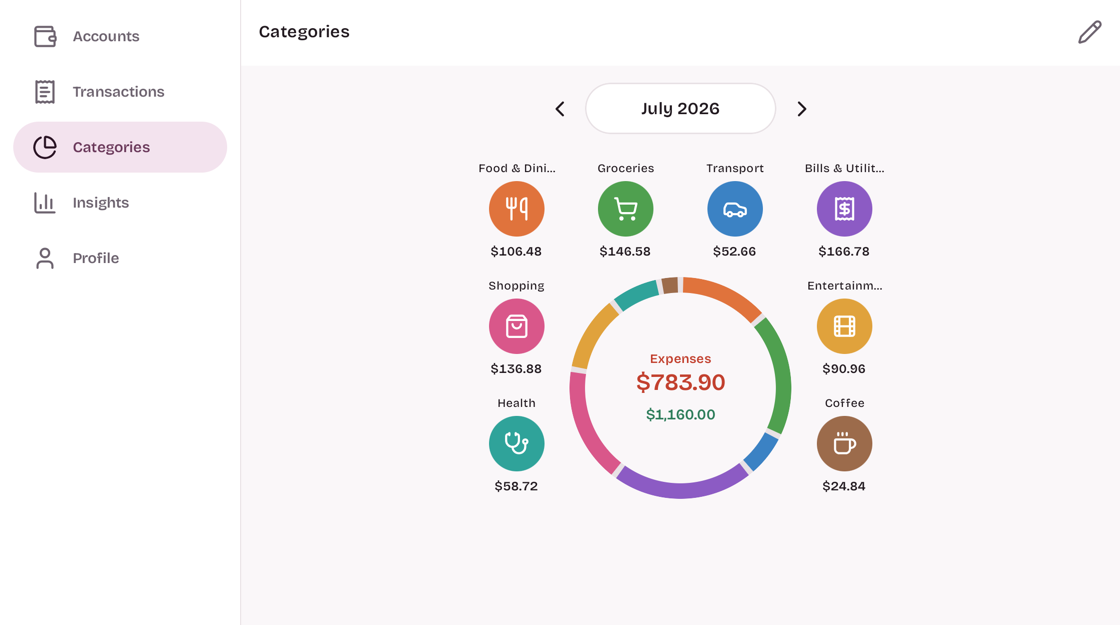
Use Arco on your phone, tablet, Mac, and Windows PC. Quick one-handed capture when you're out, room to review and analyze at your desk. Turn on Pro and your devices keep themselves in sync.

Arco on desktop, the expanded layout with a side navigation rail and the spending overview
Arco on a tablet — the same expanded layout in portrait
Arco on a phone — the compact one-handed layout

Everything else, built in.

Insights & trends

See spending by category and by month, income against expense, and where your money is headed. Plain charts, not a spreadsheet.

App lock

Lock Arco behind a PIN or Face ID / fingerprint, so only you can open it.

Multi-currency

Track accounts in any currency with automatic exchange rates.

Monthly budgets

Set a budget per category and see how much is left as the month goes on.

Recurring transactions

Rent, salary, subscriptions: logged automatically, on schedule.

Export & backup

Take your data with you anytime. Export to CSV or save a full backup in one tap.

Free to use. Pro when you want more.

The tracker is free forever. Pro is optional, and Arco will never nag you into it.

Free
Free · always
The full tracker, on your device. No account needed.
  • Unlimited accounts & transactions
  • Budgets, insights & trends
  • Multi-currency & recurring
  • App lock, export & backup
Download free
✦ Arco Pro
Pro
7-day free trial · optional plan
Everything in Free, plus the parts that need the cloud.
  • Cross-device sync
  • Statement import (beta)
  • Automatic cloud backup
  • Monthly or annual, cancel anytime
Start free trial
Pricing is set per region in the app store. Cancel anytime.

Your money, minus the busywork.

Free to start, no account needed, and yours to keep.

macOS & Windows available now Google Play coming soon